A data dictionary your data can’t disagree with.
A lightweight YAML spec for documenting related tables, and a CLI that validates your data against it.
Built for humans and agents.
data-dict is two things: a specification for data dictionaries (data-dict.yaml), and a validator (the data-dict CLI) that enforces it. The specification describes a collection of related tables: their contents, constraints, connections, and the specialised vocabulary you need to understand them. The validator turns that description into a data contract, checking that your data actually matches what the dictionary claims. This makes the dictionary a living document, accessible to both humans and agents, that tracks your shared understanding of a dataset as it evolves.
Ready to try it? Install the CLI in seconds, browse the examples to see what a dictionary looks like, or read the specification for the full details. Curious about the thinking behind the design? See the design page.
What a dictionary looks like
A dictionary is a single YAML file that the CLI renders as a browsable website. Here’s an excerpt, abridged from the otters dictionary:
name: alaska-otters
tables:
  - name: otters
    source: { parquet: otters.parquet }
    description: One row per otter.
    columns:
      - name: otter_no
        type: string
        constraints: [primary_key]
      - name: sex
        type: enum
        values: { M: Male, F: Female, U: Unknown }
  - name: measurements
    source: { parquet: measurements.parquet }
    columns:
      - name: otter_no
        type: string
        constraints: [required, foreign_key]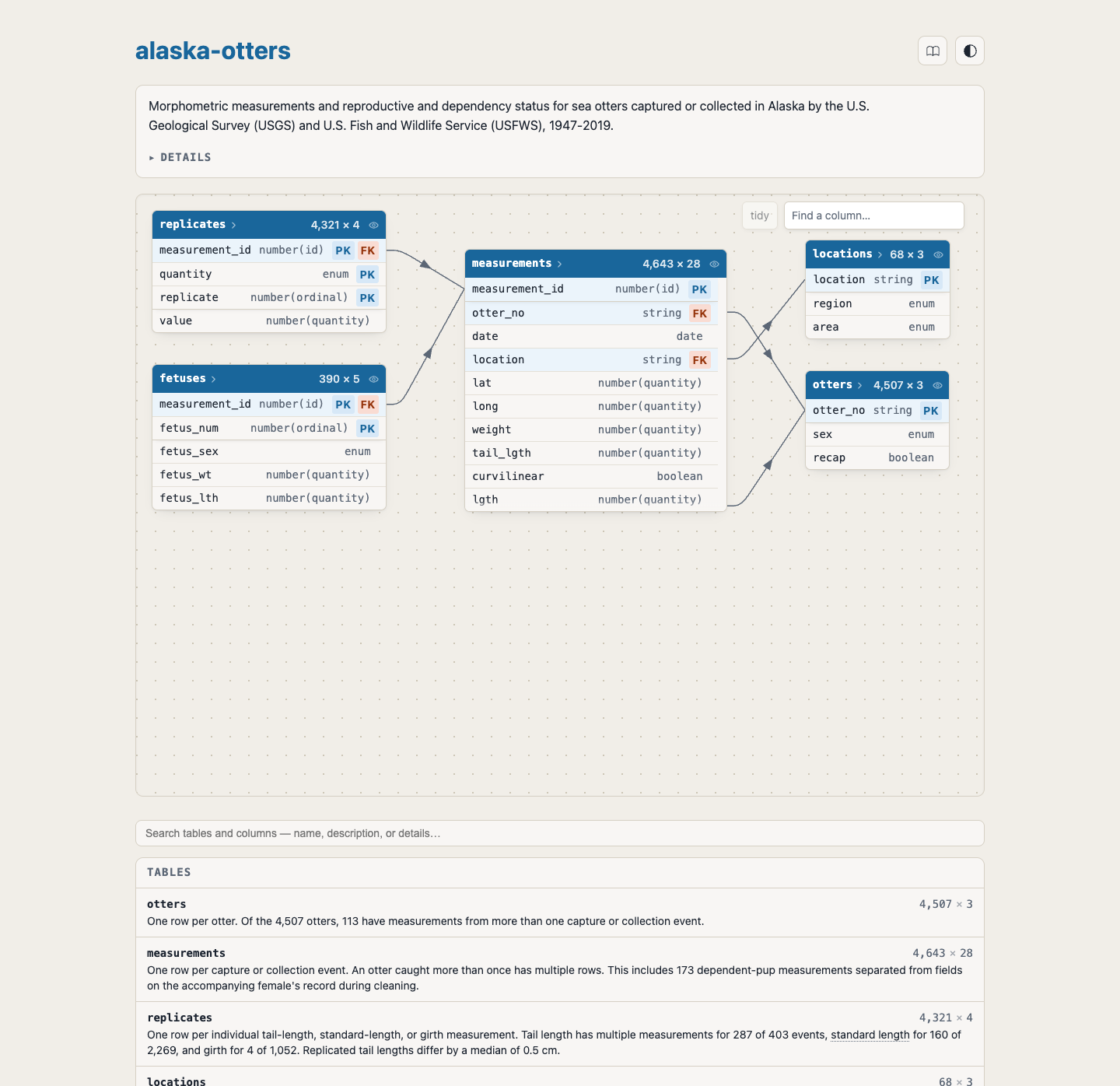
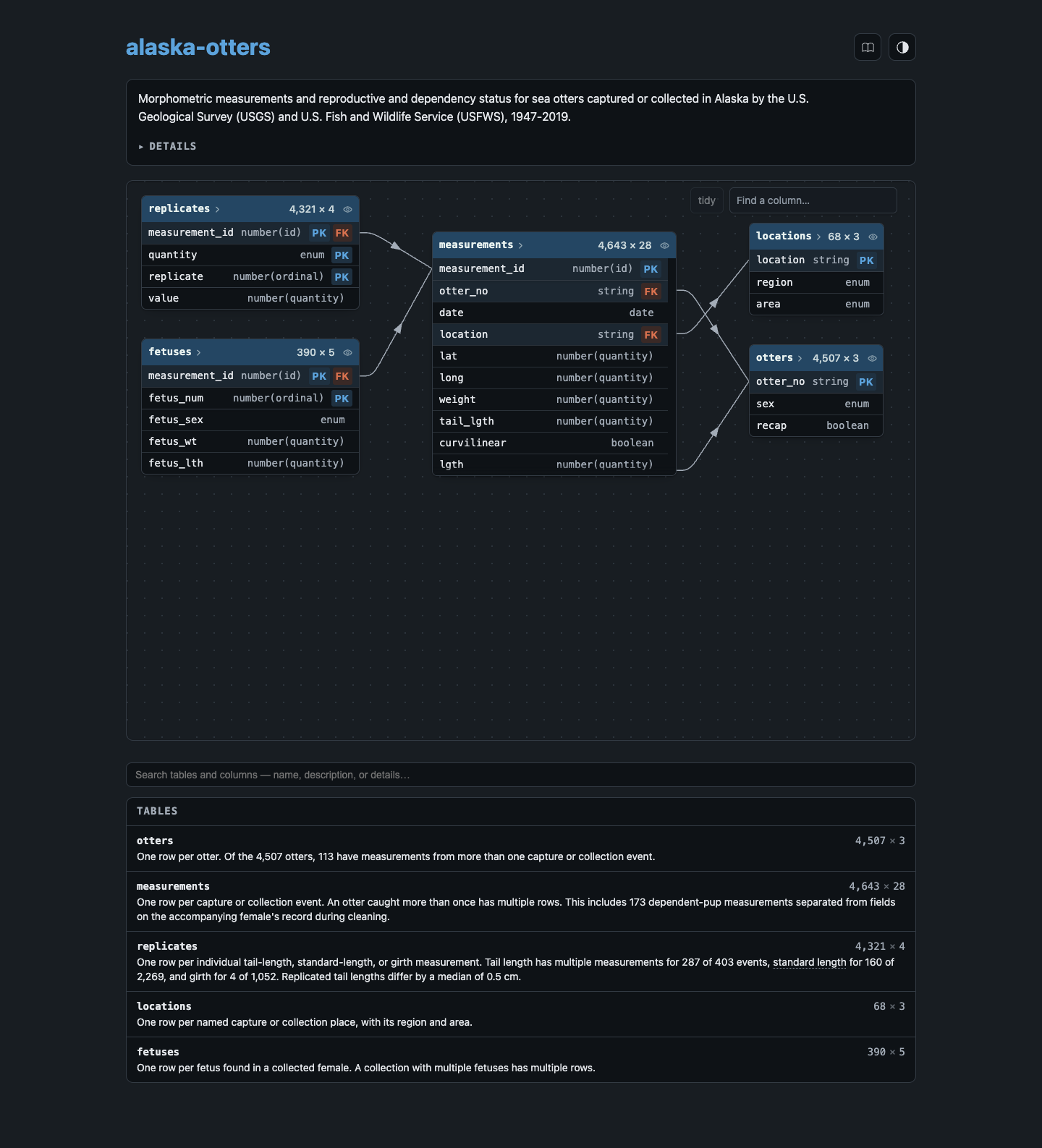
Three commands take you from data to dictionary:
data-dict draft otters.parquet
data-dict validate-data data-dict.yaml
data-dict render-spec data-dict.yaml
See the quickstart for the full walkthrough, including how an AI agent can draft the dictionary for you. Or jump directly to the details of the specification or look at more examples.
Built for the agent era
There have been many previous attempts to encode data dictionaries in structured text. What makes data-dict different, and why revisit this problem now? AI fundamentally changes both the costs and benefits of a data dictionary:
The costs of creating a data dictionary are lower, because AI agents can automate much of the boilerplate, including porting documentation from existing unstructured formats (
.doc,.html,.pdf).data-dictbundles a creation skill to make this as easy as possible.The benefits are higher, because AI agents need the context that currently exists only in your head. Providing it via a data dictionary helps your AI tools work more accurately.
data-dictbundles a reading skill that helps your agent make the most of it.The schema can be simpler because LLMs change what it means for something to be machine-readable. You only need to explicitly encode the most important structures, leaving more unusual quirks to free-form text.
Install it now
curl --proto '=https' --tlsv1.2 -LsSf https://github.com/tidyverse/data-dict/releases/latest/download/data-dict-cli-installer.sh | shuv tool install data-dict-yamlpipx install data-dict-yamlpak::pak("tidyverse/data-dict/r")
datadict::dd_install()Or try it without installing anything:
uvx --from data-dict-yaml data-dict validate-spec data-dict.yamlSee the installation page for Windows, binary downloads, and building from source.
Examples
contoso · 8 tables
Synthetic retail sales for the fictional Contoso company, arranged as a star schema.
elevators · 1 table
Registered elevator devices in New York City, from a 2015 FOIL request.
foodbank · 6 tables
Foundation Foods from the USDA FoodData Central (December 2025).
loan-application · 8 tables
Bank loan applications and the accounts behind them.
Learn more
Getting started
Reference